
How to Take a Screenshot on Xiaomi, Redmi or POCO?
Xiaomi screenshot methods using Power + Volume Down, three-finger swipe, Control center, partial screenshots and long screenshots.
Xiaomi documents Volume Down + Power, a three-finger swipe down, and Control center screenshot controls. Supported models also offer partial and long screenshots.
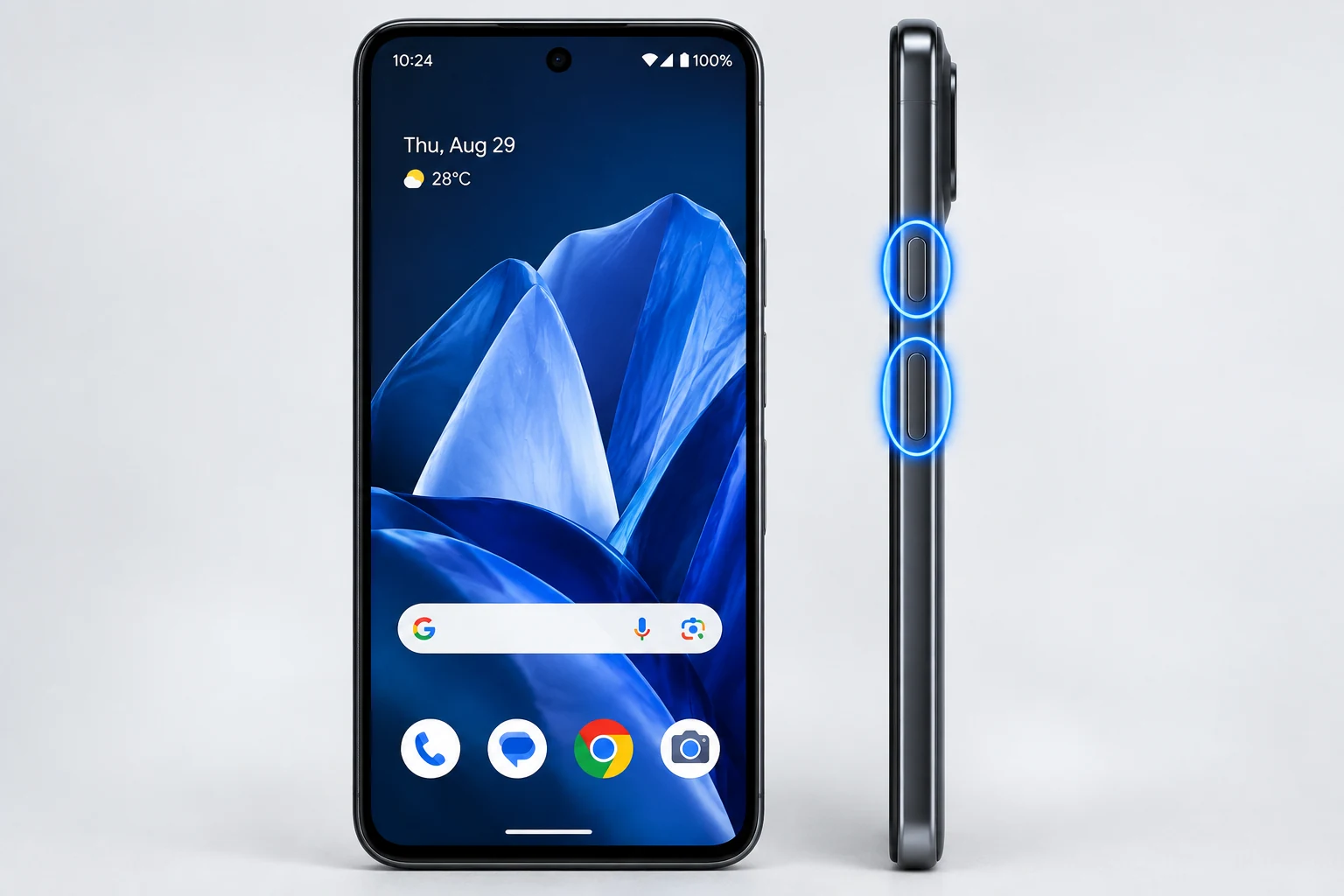
Button method
Press Volume Down and Power together. This is the most universal Xiaomi/Redmi/POCO method and does not depend on gesture settings.
Three-finger screenshot
In supported software, enable the gesture under Settings > Additional settings > Gesture shortcuts > Take a screenshot, then slide three fingers down.
Partial screenshot
Xiaomi documents a partial screenshot shortcut that can be enabled under Gesture shortcuts. On supported devices, press and hold with three fingers, choose a shape, draw the area and save.
Long screenshot
After a normal screenshot, tap Scroll when the current screen supports long capture. Long screenshots are not available in every app or screen.
Where screenshots are saved
Use Gallery or the Screenshots collection/folder in Photos, depending on the software version and apps installed.
When banking or payment apps block capture
Some apps intentionally disable screenshot or long-screenshot features for security. Do not bypass restrictions intended to protect sensitive information.
Troubleshooting
- If three-finger swipe does nothing, enable the gesture in settings.
- If Scroll is missing, the current page may not support long capture.
- If the button shortcut changes volume only, press both buttons together.
Frequently asked questions
Does Xiaomi support partial screenshots?
Yes on supported versions after enabling the gesture shortcut.
Where is the three-finger setting?
Typically Settings > Additional settings > Gesture shortcuts.
Can I take a long screenshot?
Yes on supported scrollable screens; tap Scroll after the normal capture.
Where are images stored?
Usually Gallery or the Screenshots collection in Photos.
Video guide
Sources and verification
Key technical details in this guide were checked against the following current documentation where applicable.