
How to Take a Screenshot on Linux?
Open your desktop’s screenshot tool. Shortcuts differ between GNOME, KDE Plasma and other Linux desktops.
Open your desktop’s screenshot tool. Shortcuts differ between GNOME, KDE Plasma and other Linux desktops.
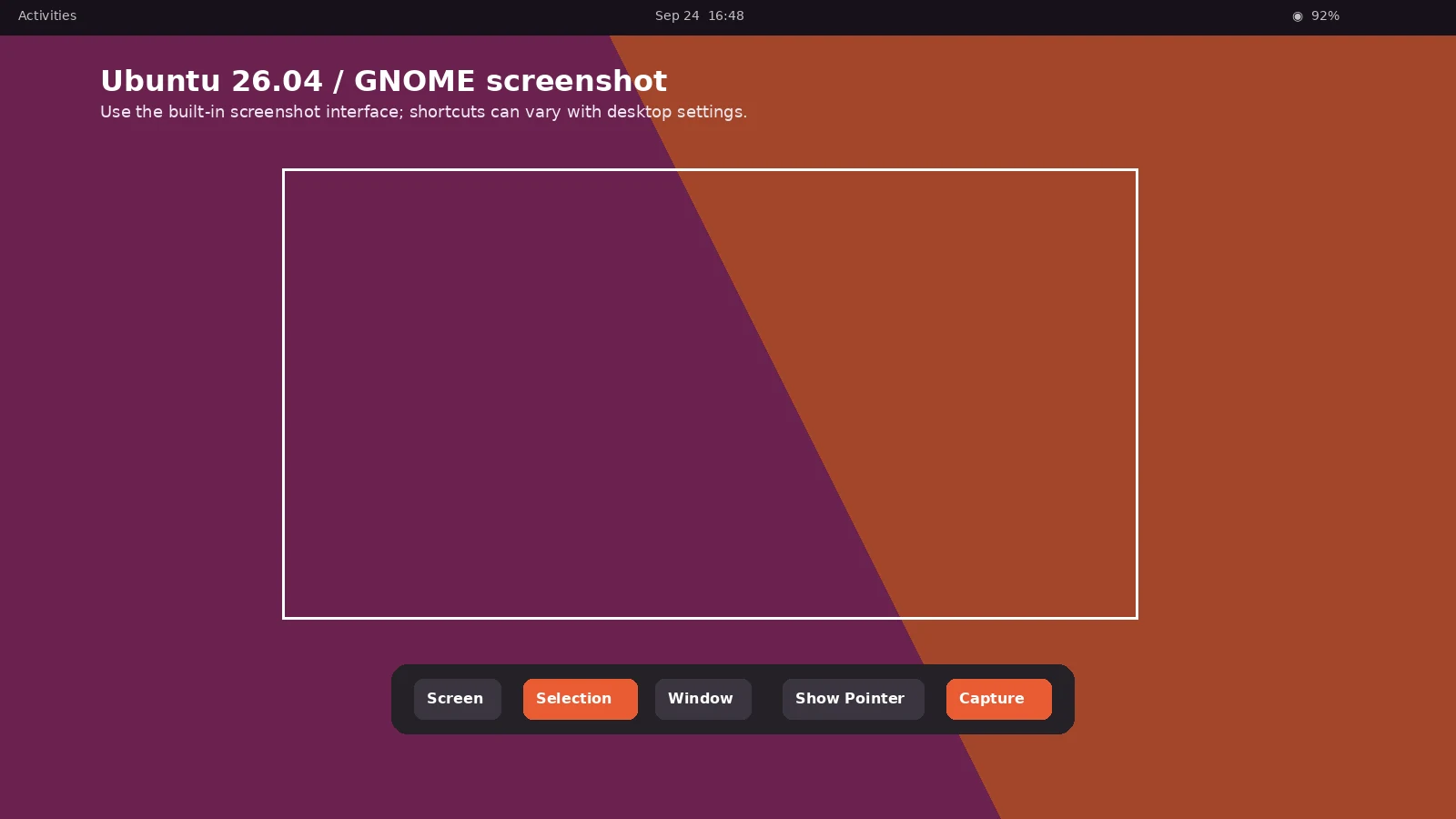
How do I take a screenshot?
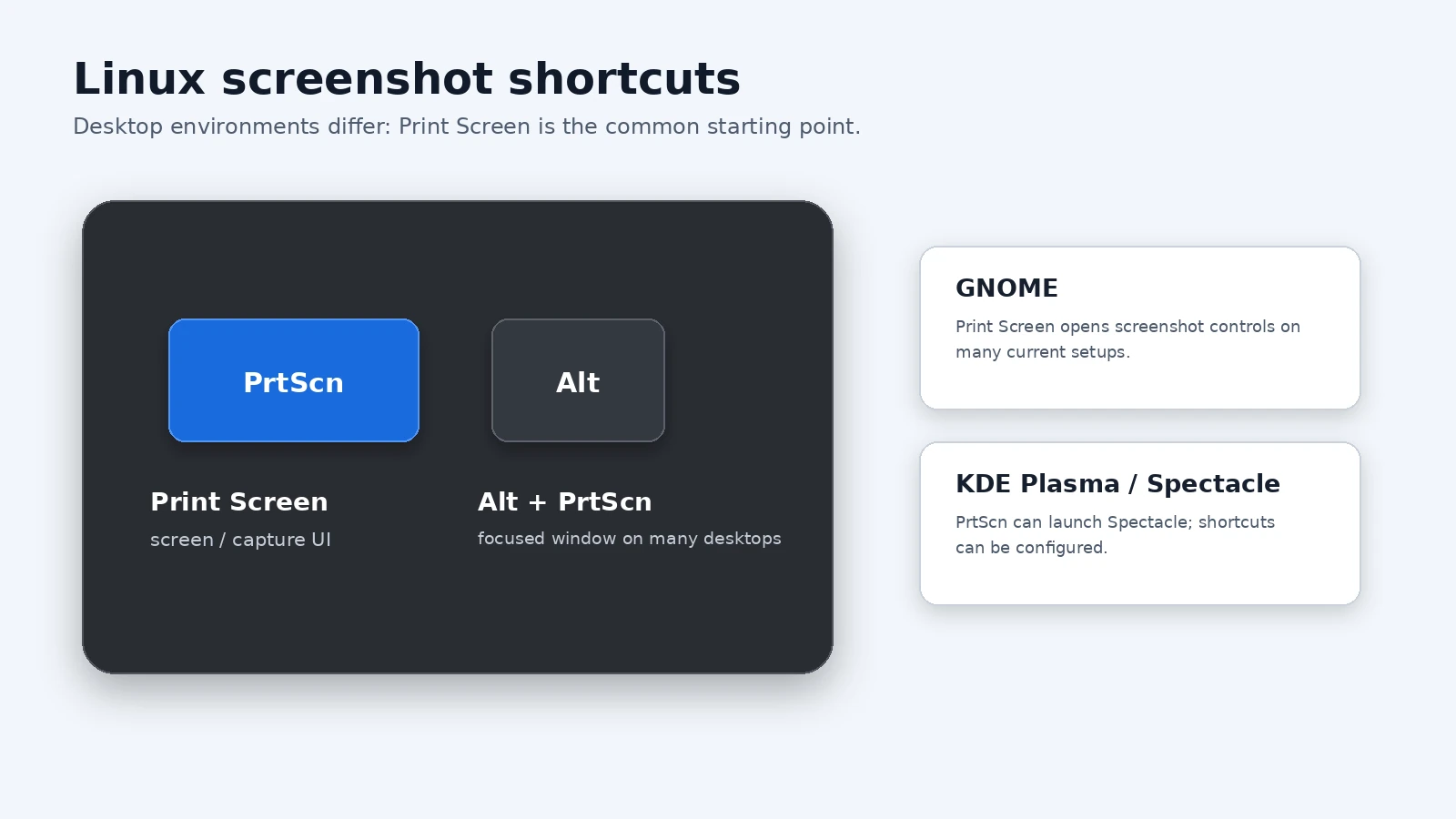
press PrtScn = In most Linux desktop environments (like KDE Plasma, Gnome, XFCE) this either takes a screenshot or starts a program for taking screenshots.
Where can I find that key?
PrtScn ScrLk Pause = Look for this group of keys at the upper right of your keyboard. Note: Print Screen (PrtScn) might have been abbreviated differently on your keyboard.
How do I make a screenshot of a single window?
hold down Alt and press PrtScn = Your desktop environment captures the active window only.
Where is my screenshot?
Most desktop environments save the file into your Pictures folder, or they ask you where to put it.
Current Screenshot Methods
This guide covers the current built-in screenshot methods, including the main shortcut, partial or window capture where supported, save locations, editing, long-page capture, and common problems. Feature names can vary slightly by operating-system version, device model, and region.
Linux behavior depends on the desktop environment. GNOME and KDE Plasma provide their own screenshot tools and shortcuts, and Wayland/X11 sessions can differ. There is no single universal save path or scrolling-capture shortcut for every Linux desktop.
Where Are Screenshots Saved?
Saved screenshots normally appear here: the Pictures folder or the location you choose. Clipboard-only captures are not permanent files until you paste or save them. If cloud backup or a custom save location is enabled, the exact folder can be different.
Most desktop environments save the file into your Pictures folder, or they ask you where to put it.
How Many Screenshots Can You Take?
There is no normal one-screenshot limit. You can take captures repeatedly until storage becomes the practical limit. When a method uses only the clipboard, a later copy can replace the previous item unless clipboard history is available.
How Do Scrolling or Full-Page Screenshots Work?
Long capture is available only when the current app or page supports it. Use the platform’s built-in long-capture control when it appears; otherwise use a browser full-page tool, export to PDF, or take overlapping screenshots.
How Do You Capture Only Part of the Screen?
Use the platform’s region or selection mode when it is available. If there is no partial-capture tool, take a normal screenshot and crop it immediately. Keep enough surrounding context to make the image understandable, especially when the screenshot documents an error or a setting.
How Do You Capture One App or Window?
Use the window-capture mode or the platform-specific active-window shortcut when one is available. Select the correct app before capturing and check the preview so another window, monitor, menu, or notification was not included by mistake.
What If You Cannot Find the Screenshot?
Check the platform’s normal screenshot album or folder, then look in recent files and search for Screenshot. Remember that some shortcuts copy only to the clipboard and do not create a file until you paste or save the image.
What Changes on Laptops, Tablets, and External Keyboards?
Button and key placement can vary by model. Compact keyboards may require Fn, tablets can use physical side buttons or on-screen controls, and external keyboards may replace a dedicated screenshot key with a function-key shortcut. When in doubt, use the operating system’s on-screen capture tool.
Can You Take a Screenshot Without the Main Shortcut?
Many platforms provide an on-screen capture button, Quick Settings or Control Center action, accessibility shortcut, stylus action, or voice/assistant method. Availability depends on the device and version, so use the built-in alternative offered by your system rather than an unknown third-party app.
Which File Format Should You Use?
PNG is usually the safest choice for interface screenshots because text remains sharp. JPEG can be smaller for photographic content, while PDF can be better for documents or supported full-page captures. If the screenshot is evidence, keep the original file as well as any edited copy.
How Do You Edit and Share a Screenshot?
Open the screenshot preview or the saved image to crop, annotate, copy, share, or delete it. Before sharing, check notifications, names, account details, QR codes, passwords, and any private content that is not needed.
What If the Screenshot Shortcut Does Not Work?
Press the shortcut once with deliberate timing and try the main built-in capture tool as a fallback. Also check whether a case or keyboard mode blocks the buttons, whether the app intentionally prevents screenshots, and whether the capture was copied to the clipboard instead of saved as a file.
Image Quality and Privacy
PNG or the platform’s default lossless screenshot format is usually best for interface text and icons. Crop to the smallest useful area and remove sensitive information before uploading or sending the image.
When Should You Record the Screen Instead?
Use a screenshot when one still image explains the issue. Use screen recording when movement, timing, a menu sequence, or an animation is important. Record only the shortest useful sequence and review it for private information before sharing.
Can you show me in a video?
Official documentation: GNOME