
How to Take a Screenshot on an OPPO Phone?
OPPO screenshot guide for button capture, ColorOS screenshot controls, three-finger options, long screenshots, save locations and troubleshooting.
Start with Power + Volume Down. ColorOS also offers screenshot controls and, on supported versions, three-finger gestures and long screenshots.
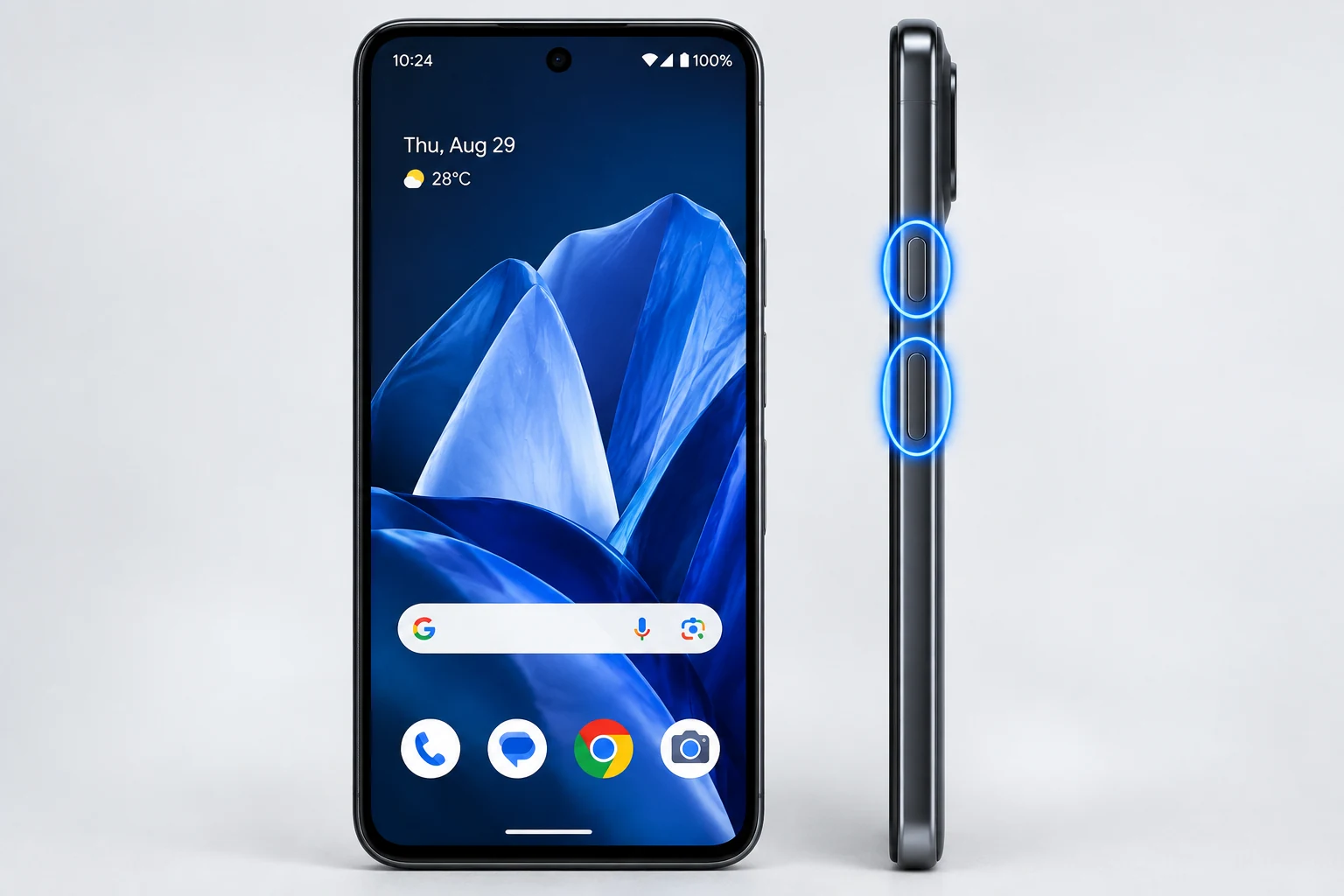
Standard button capture
Press Power and Volume Down together. This is the most dependable starting method across modern Android phones, including OPPO.
Three-finger features
OPPO support documentation for ColorOS versions describes three-finger screenshot and three-finger touch-and-hold options. Menu names move between ColorOS releases, so use Settings search for “screenshot” if the path in an older guide differs.
Long screenshots
Supported ColorOS versions can extend a capture into a long screenshot when the content can scroll. Start with a normal screenshot, then use the long/scroll capture option in the post-capture controls.
Where screenshots are saved
Look in Photos or Gallery under Screenshots. File-manager paths can vary by ColorOS version and storage configuration.
Editing
Use the preview toolbar to crop, annotate or share. Remove private notifications, usernames and account information before sending the image.
When methods differ by model
OPPO devices span many ColorOS versions. If a gesture is unavailable, keep the hardware-button method as the fallback and consult the exact device user guide.
Troubleshooting
- If three-finger capture does not work, search Settings for screenshot and verify it is enabled.
- If a long screenshot option is absent, the current screen may not be scrollable or supported.
Frequently asked questions
Can OPPO take a long screenshot?
Supported ColorOS versions can.
Where are screenshots stored?
Usually in Photos/Gallery under Screenshots.
Do all OPPO phones have the same gesture path?
No. ColorOS version and model affect menu names.
What is the safest fallback?
Power + Volume Down.
Video guide
Sources and verification
Key technical details in this guide were checked against the following current documentation where applicable.