
How to Take a Screenshot on iPhone?
Current iPhone screenshot methods for Face ID and Home-button models, Full Page capture, Photos location, Siri, AssistiveTouch, Back Tap and troubleshooting.
On Face ID iPhones, quickly press and release Side + Volume Up. On iPhones with a Home button, use the Side/Top button with Home.
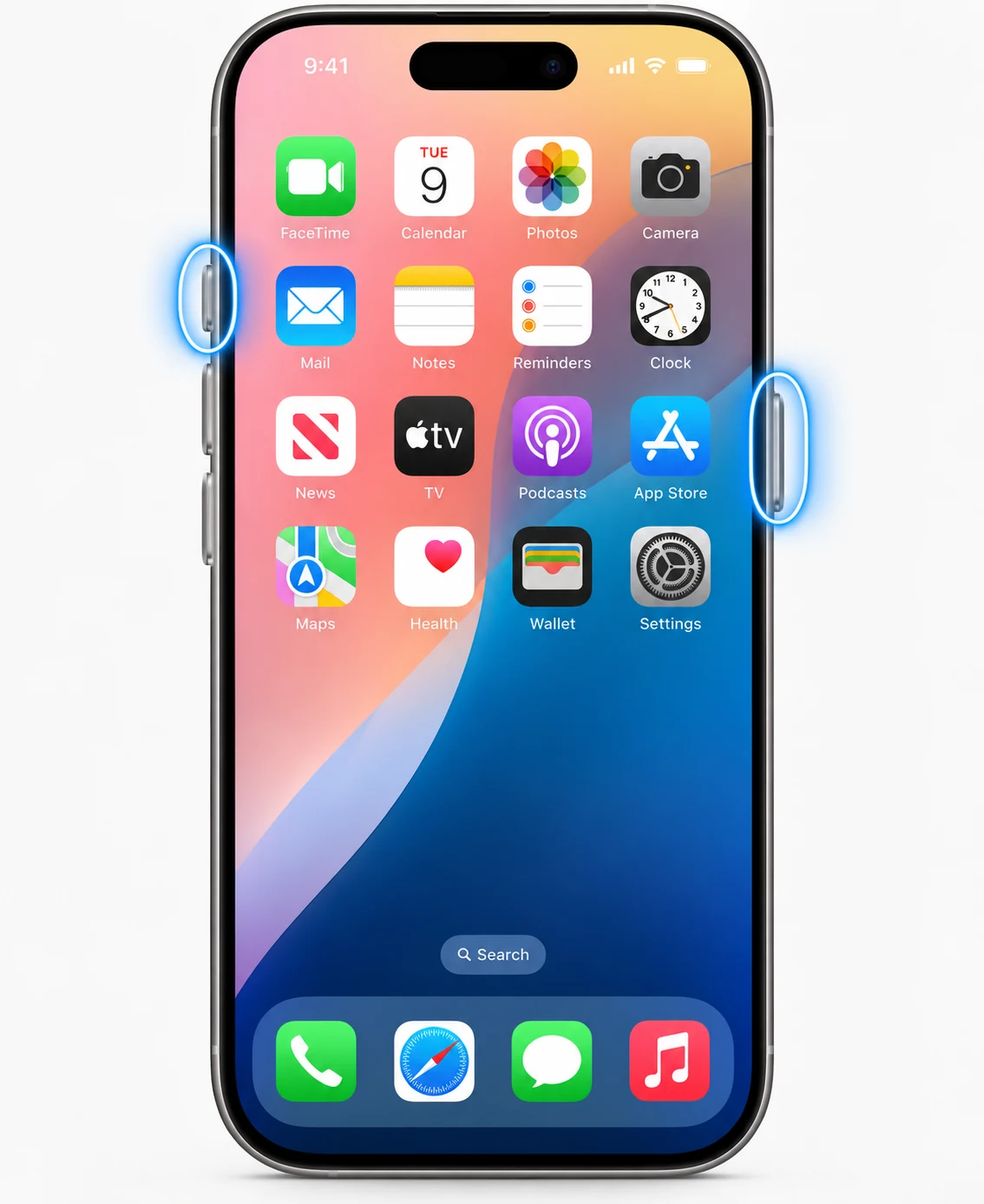
Face ID models
Press Side and Volume Up together, then release quickly. A thumbnail appears briefly; tap it to edit/share or dismiss it and let the screenshot save.
Home-button models
Use the Side or Top button with Home, depending on the model. Do not hold the combination because a longer press can trigger another system action.
Full Page
On supported content, open the screenshot preview and choose Full Page. Current iOS can save full-page captures to Photos or as a PDF/file depending on the context and version.
Where screenshots are saved
Apple currently documents Photos > Collections > Media Types > Screenshots. Screenshots with thumbnails save automatically unless you delete/cancel them.
Other ways
Apple documents Siri, AssistiveTouch and Back Tap as alternatives to hardware buttons. These are useful when buttons are difficult to press.
Privacy before sharing
Check notification banners, browser tabs, contact names, account balances and location information before sending a screenshot.
Troubleshooting
- If the emergency/power screen opens, release the buttons sooner.
- If one hardware button is unreliable, use AssistiveTouch, Siri or Back Tap.
Frequently asked questions
Where are iPhone screenshots stored?
Photos > Collections > Media Types > Screenshots.
Can iPhone capture a whole webpage?
Yes on supported content using Full Page.
Can Siri take a screenshot?
Apple documents Siri as an alternative capture method.
Can I change screenshot appearance settings?
Current iOS includes screenshot settings such as thumbnail/full-screen behavior and SDR/HDR options on supported versions.
Video guide
Sources and verification
Key technical details in this guide were checked against the following current documentation where applicable.